Main Content
Student Computing Services Center
Loaner Equipment Services:
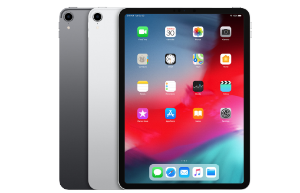
SJSU Student Computing Services (SCS) provides Laptop and iPad loaner equipment to SJSU students, faculty and staff, at no charge, for limited amounts of time (see Borrowing Terms & Conditions for details).
- See a list of loaner equipment available and software installed on those devices.
Extend your loan period by visiting or calling SCS at 408-808-2470.
(loans are not extended through e-mail requests)
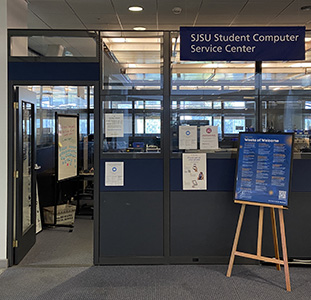
SCS is in the lower level of the library - just outside the elevators - in room L67.
Save your work often! If you are using a loaner laptop you should save your work frequently (to a USB device or in the cloud). If you are using an iPad, save your work in the cloud (it may do so automatically and verify that your work is being saved to your on-line storage location in the Cloud).
SCS Consultation services*:
SCS also provides in-person, by phone (408-808-2470), and e-mail (librar-SCS-group@sjsu.edu) consultation to SJSU students, faculty and staff seeking assistance with the following:
- The use of SCS laptops and iPads, as well as use of the apps installed on them.
- NOTE: Extensive tutoring will not be provided. When in depth training is required, the user will be instructed to read the App’s Help instructions and User Guides as a source for training.
- Troubleshooting remote access to the Library's electronic resources (for example, accessing the libraries many research databases from outside the library).
- Configuring personal laptops and iPads for use with the Library's wireless network.
- NOTE: SCS staff will not modify your personal laptop or mobile “smart” device (e.g. iPads, iPhones, iPods, or other tablet computing devices) - they are not a repair center, but they will try to assist you in making those changes yourself.
- Use of library public desktop computer stations -- including making and canceling a library computer or study room reservation through the library's Reserve-a-Computer system.
- Resetting your Library PIN.
- Using the campus wireless network.
- Activating and maintaining SJSUOne accounts (Note: SCS cannot reset your SJSUOne password, only the University Helpdesk can reset those passwords. If you come to SCS because you forgot your password AND the answers to your personal questions, you will be refferred to the University Helpdesk in Clark Hall for the assistance SCS cannot provide.)
- Problem reports: SCS will document and relay reports of problems with Library public computers, electronic resources and (wireless) network access, to the Library’s Information Technology Unit.
- Computer repairs, data recovery or software purchases will be referred to appropriate University service centers and/or associated vendors.
* SCS services are available during regular King Library operating hours AND during extended study hours.
Did You Know..?
SCS will NOT be open all night through Finals week. We close at midnight.
SCS will be closed during Spring Break March 24 - March 31. We will open again on Sunday, April 1st.
Beginning March 6, 2012, laptops or iPads checked out less than 4 hours from closing will not be due until the next morning. Equipment must be returned within 1 hour of the library opening or late fees are applied.
The library provides wireless printing to any of its 9 public printing. See "Wireless Printing in the Library."